Film one delivery. See your action the way a coach does.
One phone video. Your front leg, trunk, arm and run-up measured frame by frame, explained in plain words, and turned into a 4-week plan you train with.
No cardAny phone, no sensorsEnglish, हिन्दी & Hinglish
- bowlers helped
- 550+
- deliveries analysed
- 1,000+
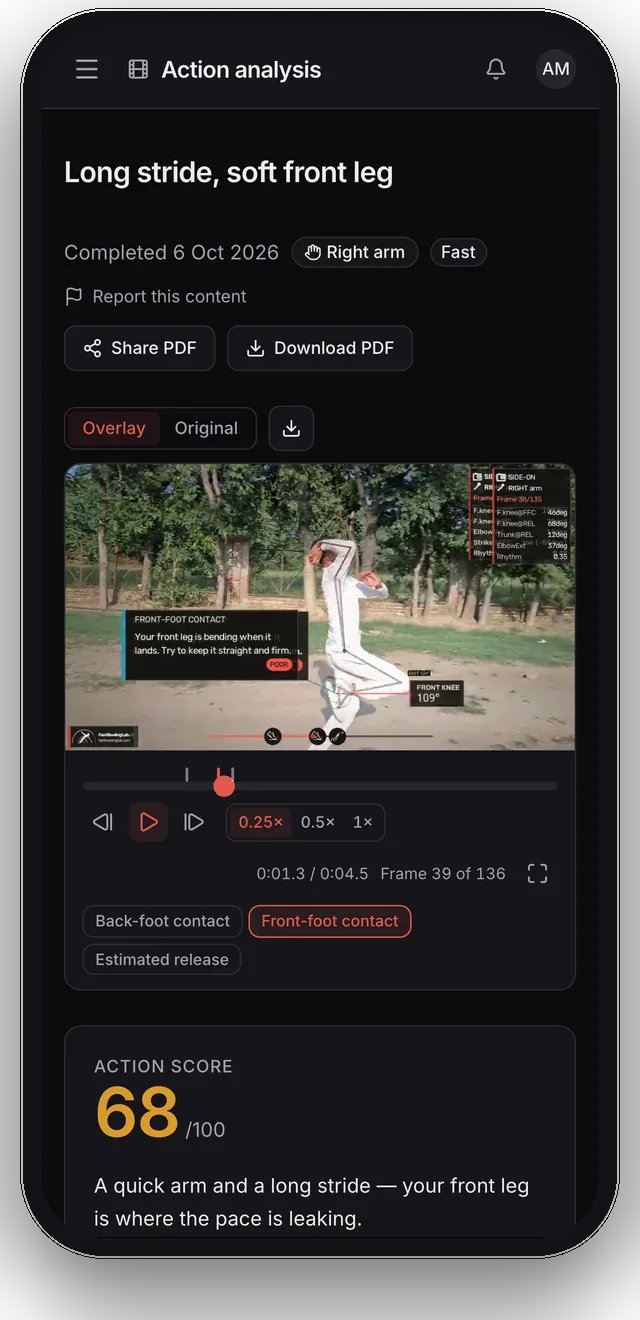
Action score
68 / 100
Inside the app
Look around before you sign up
Real screens from the app, from the analysis you get back to the session you log and the coach you can message.
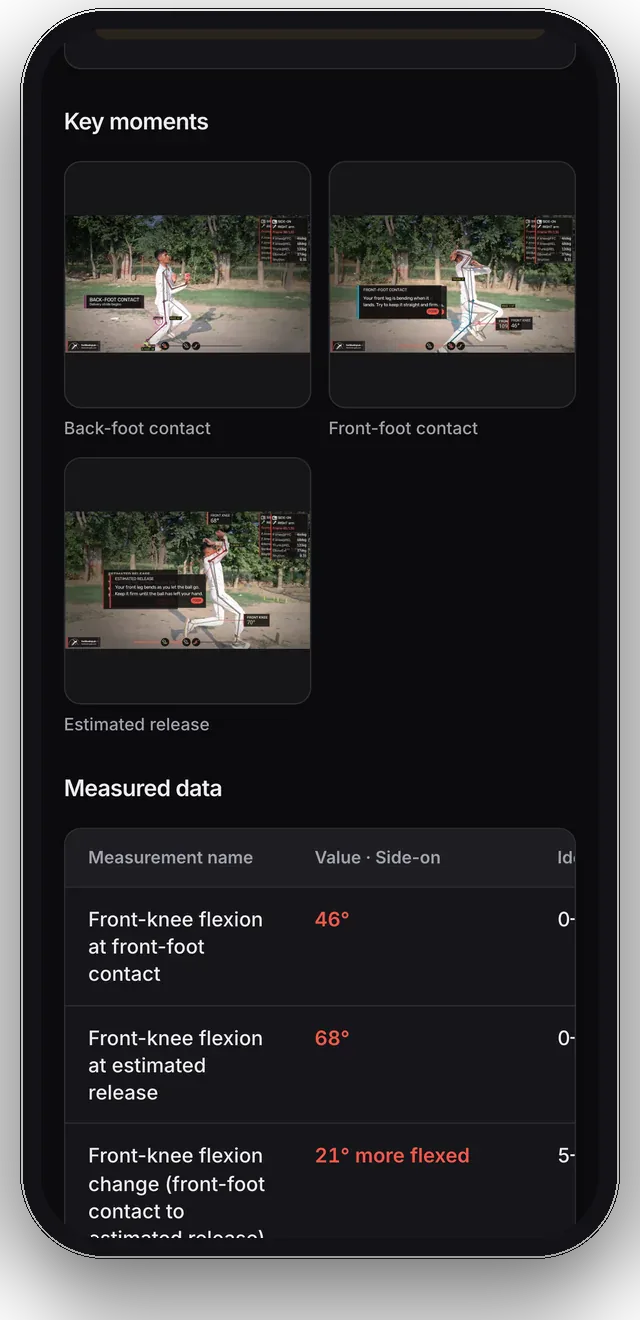
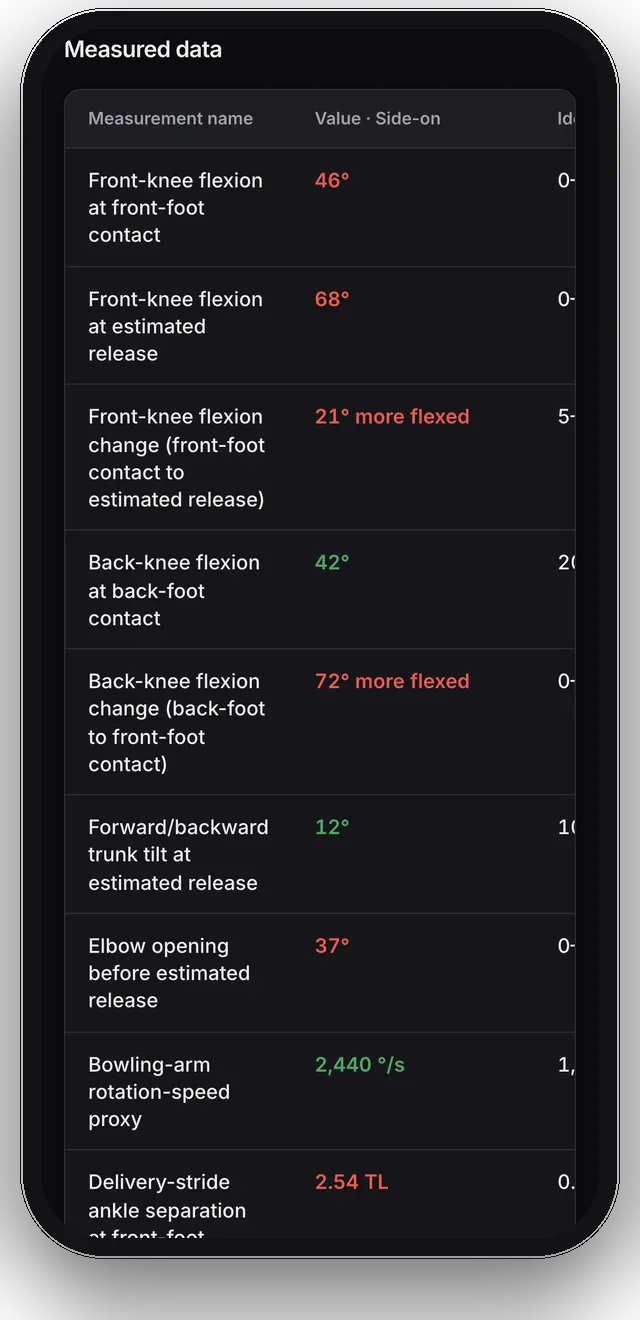
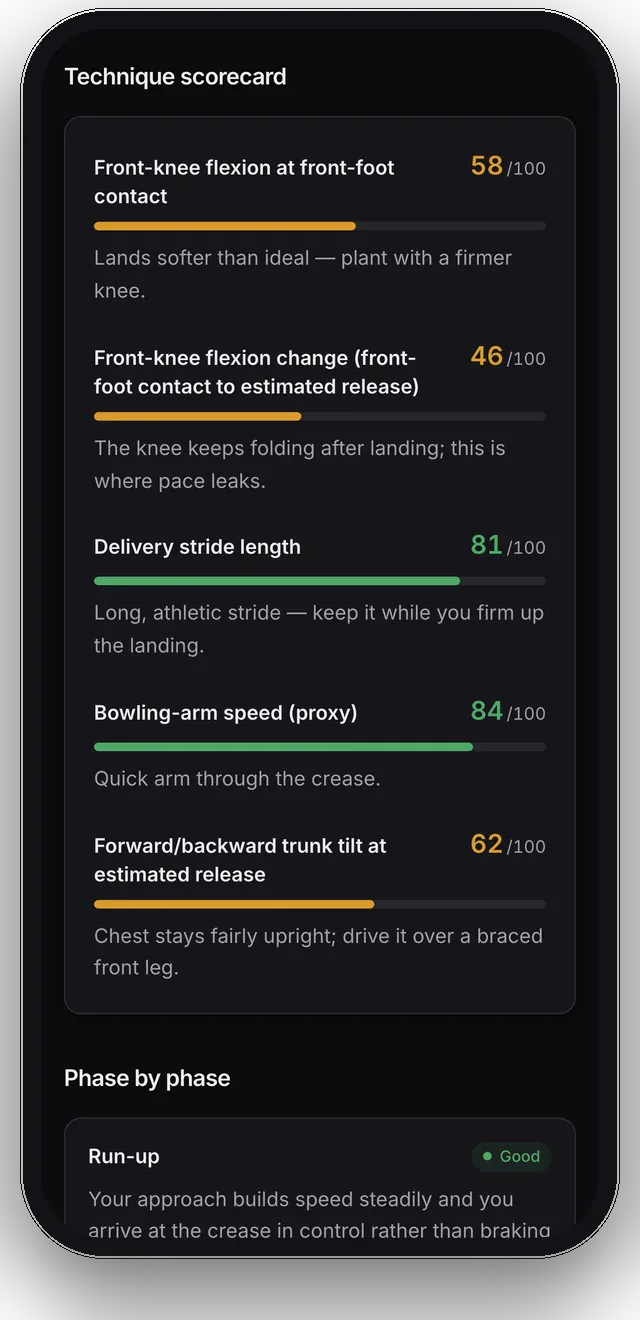
Your action, decoded
The overlay, the key moments and your action score, on the delivery you filmed.
Screen 1 of 10: Your action, decoded. The overlay, the key moments and your action score, on the delivery you filmed.
How it works
Film it. Read it. Train it.
No sensors, no lab, no appointment. If you can film a delivery in slow motion, you can do this, and our filming guide walks through the setup.
Film one delivery
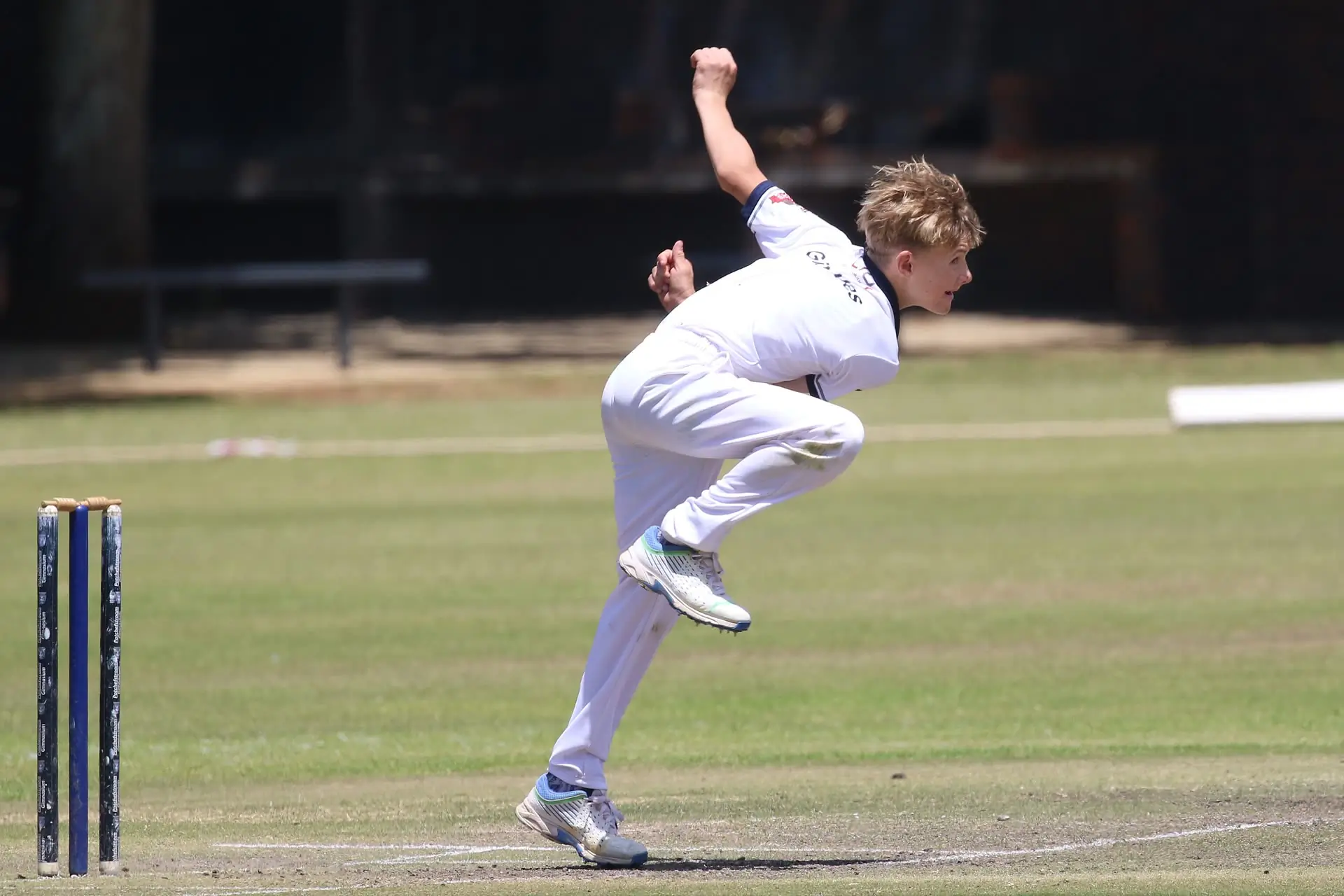
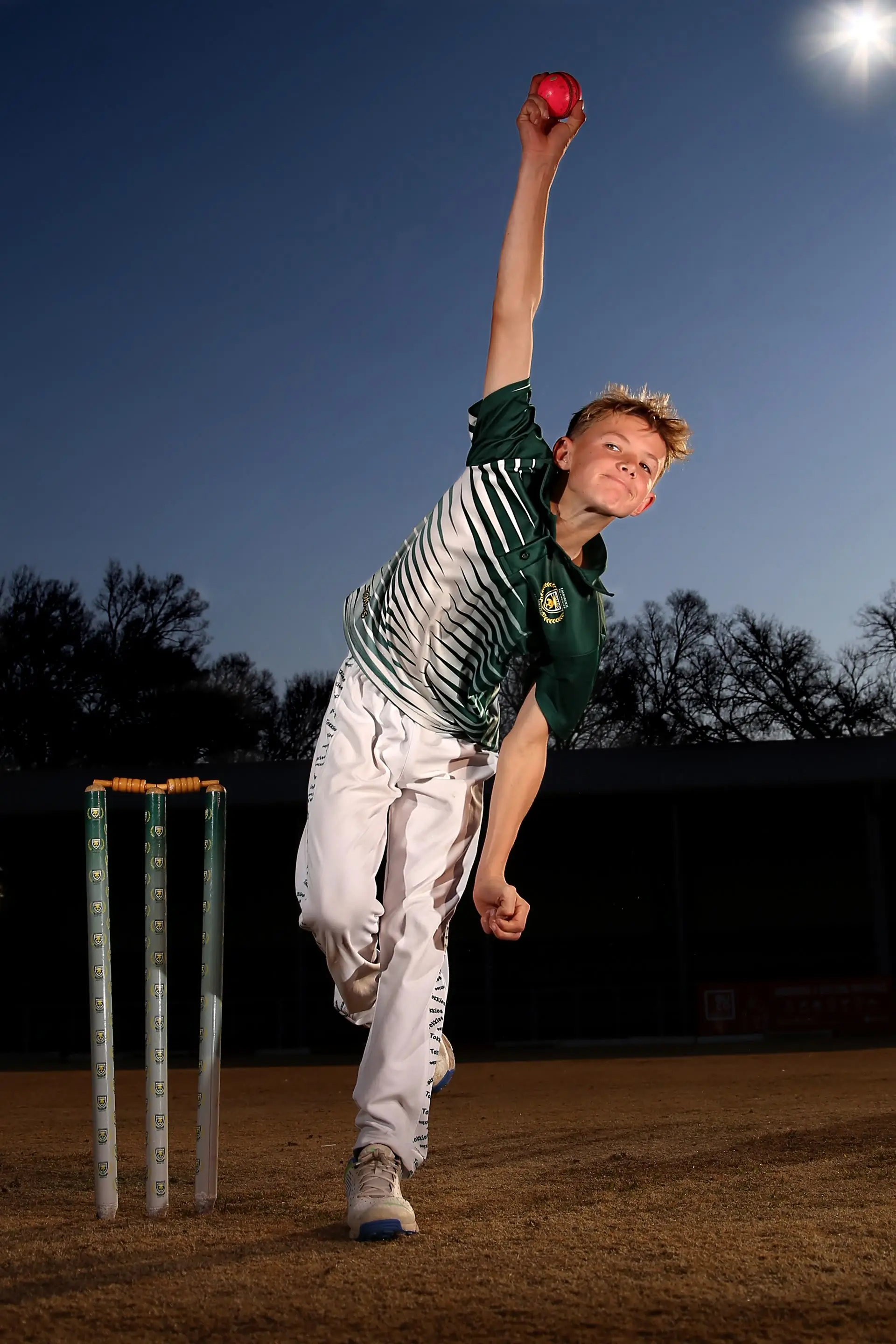
Slow-mo, side-on, with your whole body in frame. Add front- or back-on clips of the same ball from other phones for wider coverage, up to four views in one analysis.
Read your analysis
Pose AI tracks your body through every frame, finds back-foot contact, front-foot contact and release, and explains what it measured there in plain words.
Train with your plan
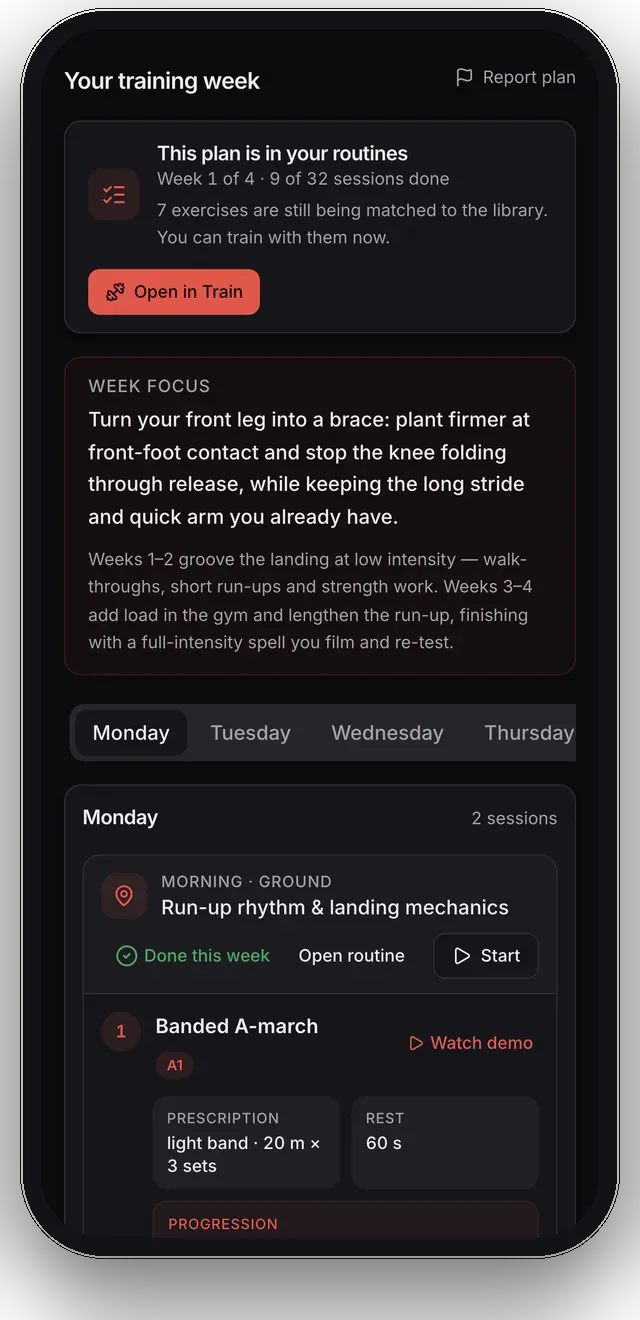
Your 4-week drill and strength plan lands in the Train tab, ready to start. Log it set by set, then film again and compare like for like.
A real analysis
This is what comes back
One real delivery, carried all the way through. Nothing here is a mock-up.
What you film
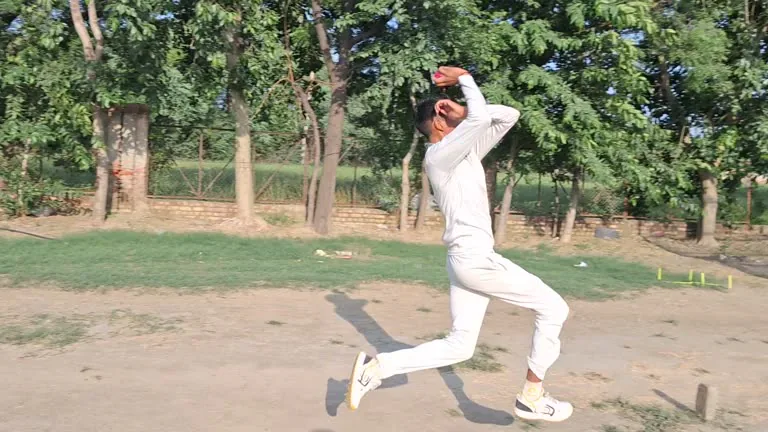
One delivery, side-on from a phone propped up at the boundary. That's the whole ask.
What comes back
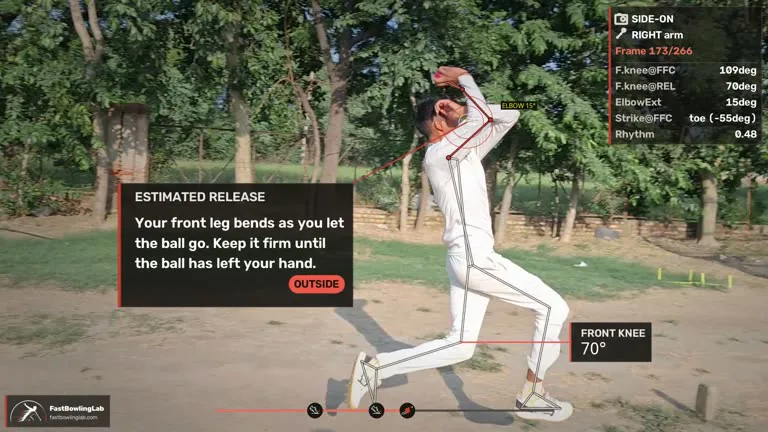
The same frames with your body tracked, the joint angles read, and a coaching card at back-foot contact, front-foot contact and release.
Your first one is free. No card, nothing to cancel.
Train
Then do the work, and watch it add up
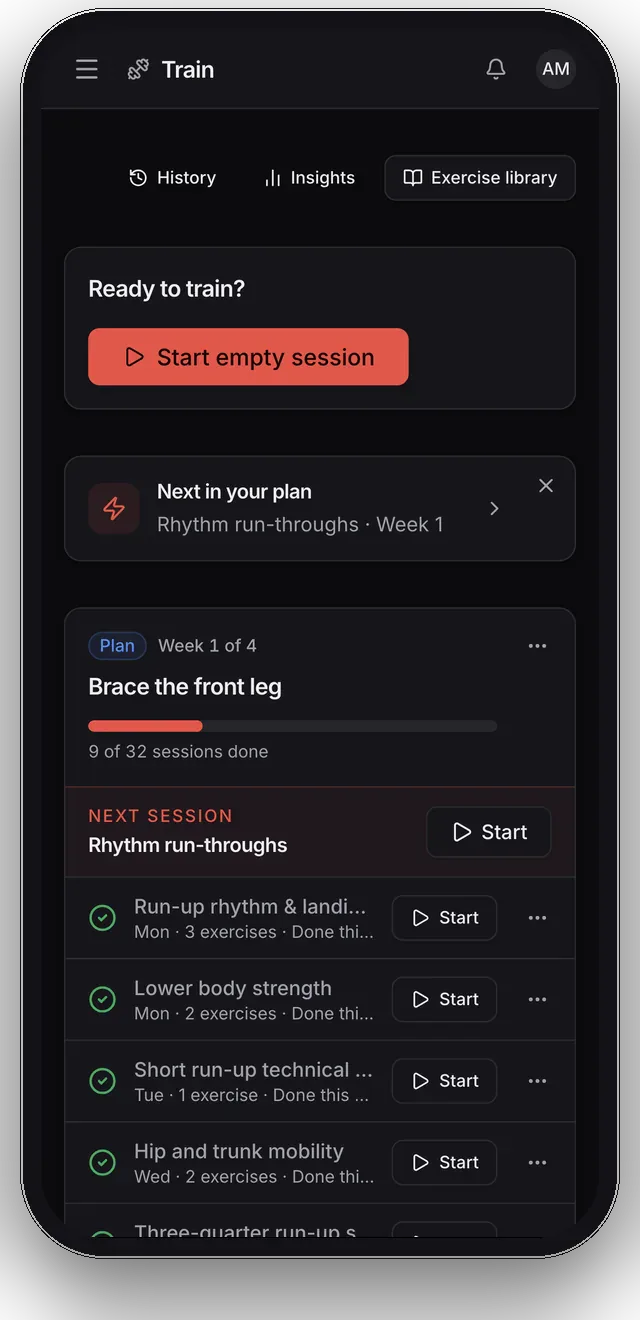
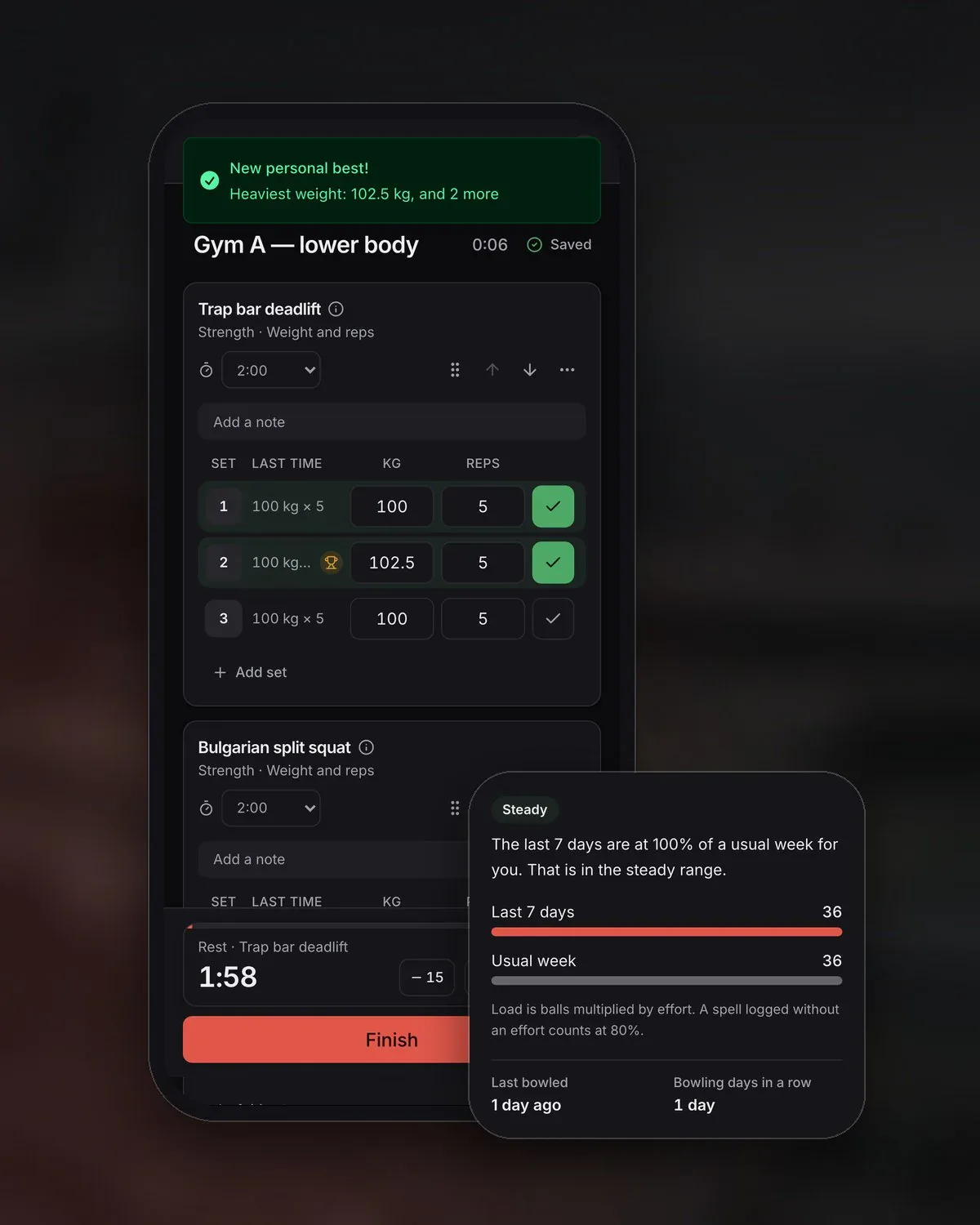
The plan doesn't stay in a PDF. Take it to the gym and the nets in the Train tab, log every session in seconds, and see your bests and your bowling load build week by week.
Your plan, ready to start
Every session in your 4-week plan arrives as a routine. Start one in a tap, and the app keeps track of which week you're on.
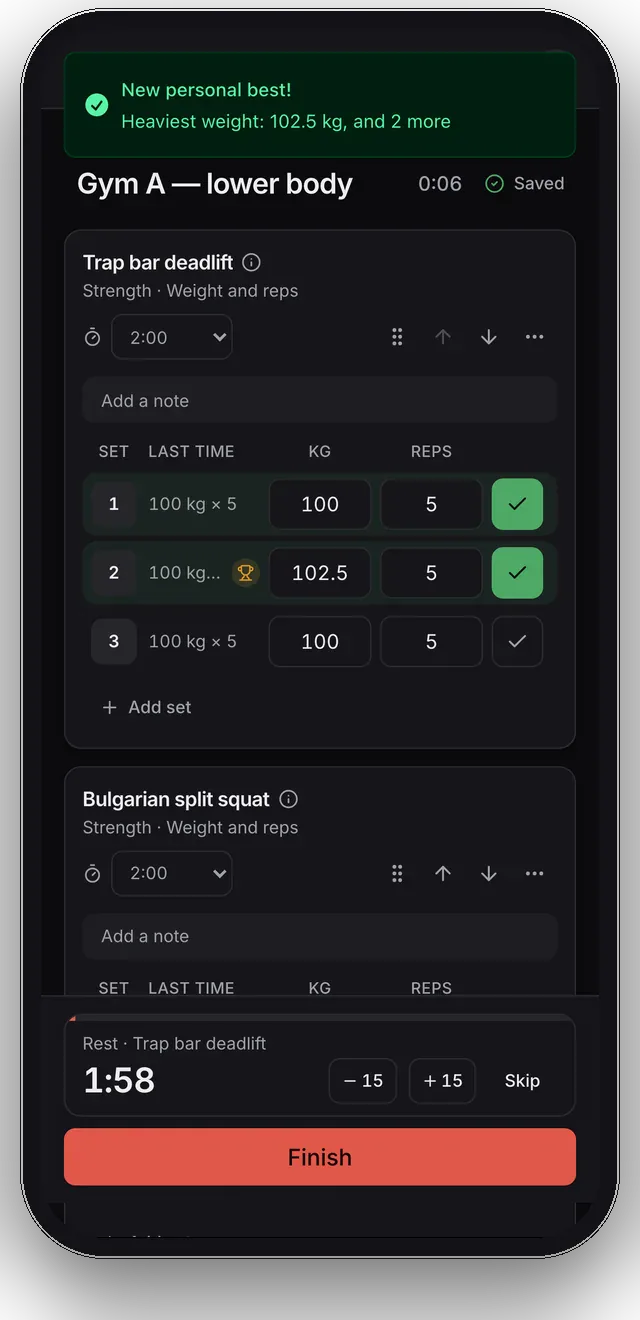
Logged set by set
Tick each set as you finish it: weight and reps, holds or distance. A rest timer runs between sets, and warm-ups stay out of your totals.
Every ball in a spell
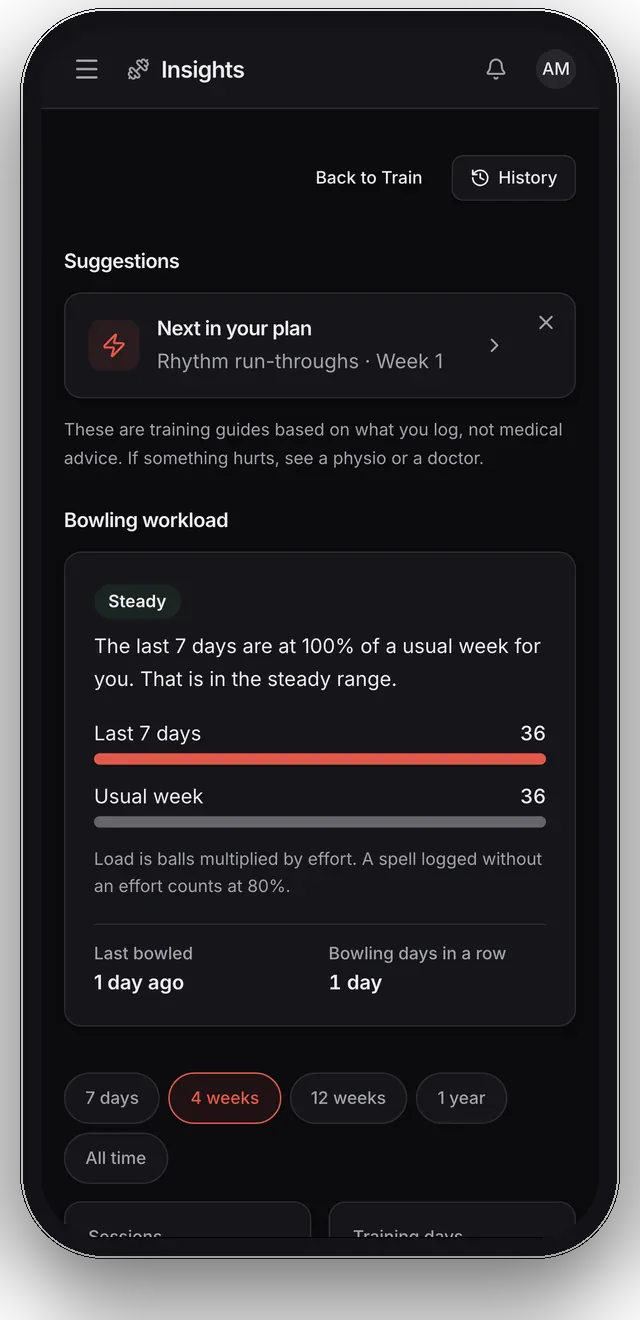
Count a bowling spell ball by ball or an over at a time, with your effort, and your top speed when a speed gun caught it.
Bests, the moment they happen
Beat a personal best and the set you just ticked lights up: heaviest weight, estimated one-rep max, most balls in a session, fastest ball.
Workload you can read
This week's balls against your usual week, and how many days in a row you've bowled, so a big jump never sneaks up on you.
Made for the nets
Patchy signal never loses a set. The session is kept on your phone and saved to your account as soon as there's a connection.
Four weeks later, film again. Put the two analyses side by side and see which changes held.
Training lives on your phone
What we measure
19 measurements, mapped to your action
From the run-up to release, every result stays tied to the camera view that supports it.
19
measurements
Front-leg brace
Side-on- At front-foot contact
- At release
- Change between them
Trunk position at release
View matched- Forward/backward tilt
- Sideways tilt
Bowling arm
Side-on- Visible elbow opening
- Arm-speed proxy
Back leg and gather
Side-on- At back-foot contact
- Change into front-foot contact
Landing and delivery stride
Side-on- Front-foot landing
- Run-up landing
- Stride length
Run-up, rhythm and the bound
Any view- Step timing
- Ground contact
- Final stride
- Crossover
- Pelvis rise
- Flight time
- Release spread
Want a coach to talk it through?
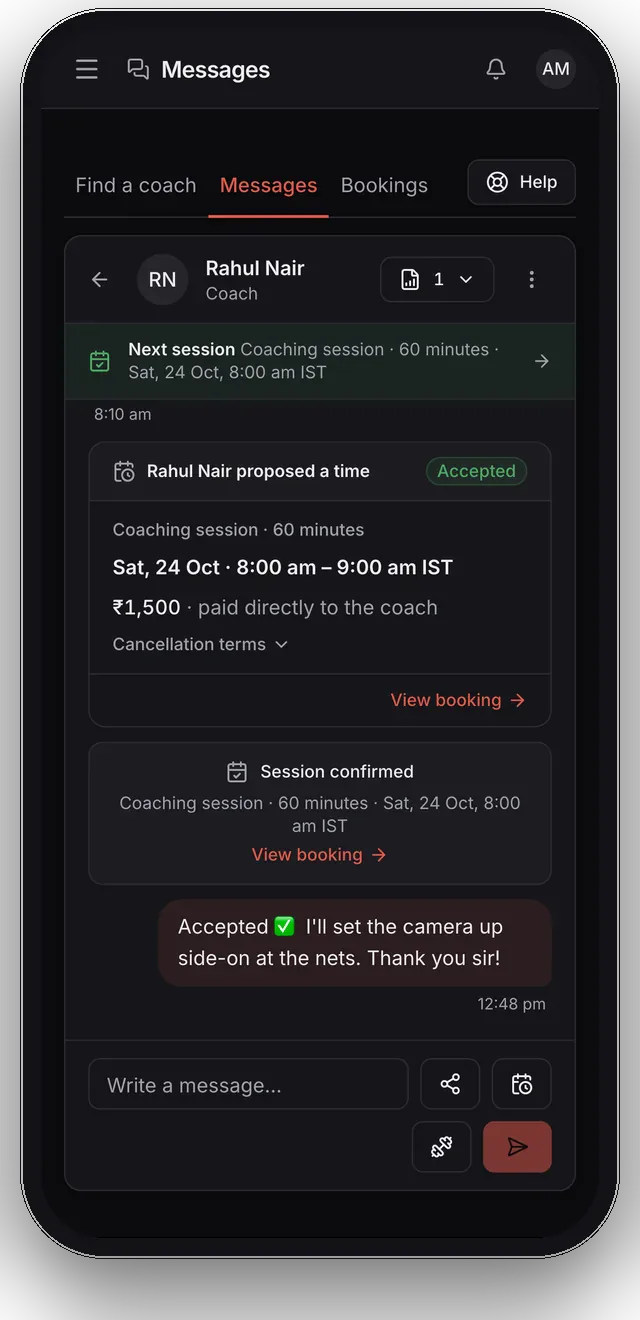
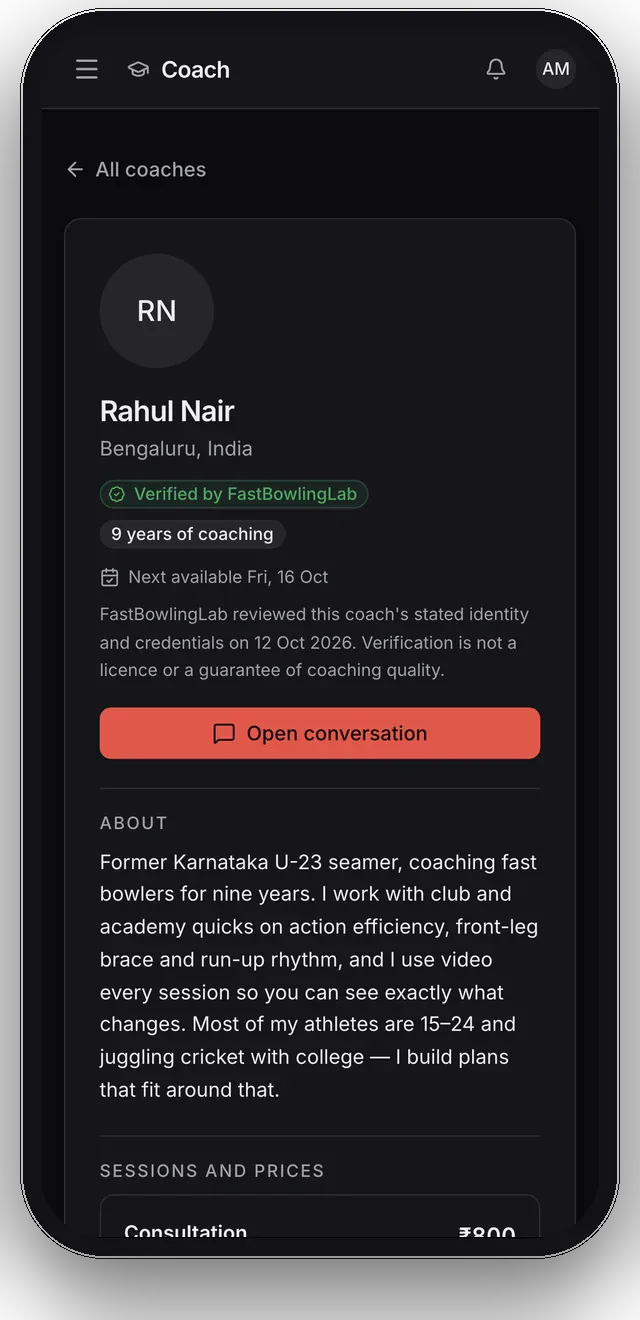
Find a fast-bowling coach our team has reviewed, share your analysis so they see what you see, and agree a time for a live one-to-one session in the chat. You pay the coach directly.
Pricing
Start free. Pay only if you want more.
No card, no trial clock. After that, buy credits when you need them or take a plan.
Free
Start here₹0
See your action tracked and measured on us.
- 1 pose-only analysis to try it out
- Overlay video, key moments and measurements
- Training log, free forever
No card. Nothing to cancel.
Packs and plans
Credit packs
No subscription- Credits never expire
- Works on any plan, including Free
1 analysis
₹199
1 analysis
One more delivery, fully analysed.
3 analyses
Best value₹499₹597
3 analyses
Save ₹98
Track progress through a block of training.
Or buy singly: ₹199 an analysis
Bowling every week? Take a plan.
A monthly allowance, spent before any credits you own, so nothing you have bought goes to waste.
Pro
Best for regularsFor bowlers working on their action.
₹999 /month
- 4 analyses every month, with adaptive 4-week plans
- Pacey, your AI cricket & fast-bowling coach
- Re-test and compare, side by side
- PDF export for coach sharing
Pro Coach
For coaches who guide multiple athletes.
₹1499 /month
- 4 analyses every month, with adaptive 4-week plans
- Pacey, your AI cricket & fast-bowling coach
- Re-test and compare, side by side
- PDF export for coach sharing
- Your own name and logo on every analysis PDF
Launch pricing, subject to change. Taxes may apply. In-app purchases are billed by the App Store or Google Play at their local price.
FAQ
Fair questions, straight answers
How do I film my bowling action in slow motion?
On iPhone: open Camera, swipe to Slo-Mo, and record. On Android: look for Slow motion or Super Slow-mo in your camera modes. Higher frame rates improve fast-motion and timing coverage.
Start with the phone steady at hip height, side-on to the crease from your bowling-arm side, far enough back to keep your full body and delivery in frame. Record one delivery. If other phones filmed that same delivery from front- or back-on, add those clips too and label each view. Our step-by-step filming guide covers camera height, distance and the mistakes that cost you measurements.
Do I need more than one camera?
No. One side-on clip is the classic starting point, and it supports the largest group of measurements: front-leg brace, back knee, trunk tilt, elbow opening, arm speed, delivery stride and foot strike.
Extra front- or back-on phones on the same delivery add the measurements a side camera physically cannot see, such as sideways trunk tilt and whether your run-up steps cross your own line. The sample analysis on this page came from three phones at once: the side-on clip returned 13 of its 15 measurements, and the two extra cameras added the rest. What extra cameras never do is get blended into pretend 3D. Every number names the single view it came from.
What does the Train tab do?
It is where the training happens. The 4-week plan from your analysis arrives as ready-made routines, and you can build your own for the gym and the nets. Start one and tick it off set by set: weight and reps, holds, distances, or balls and overs in a bowling spell.
FastBowlingLab keeps your personal bests, shows your weekly bowling workload against your usual week, and suggests the next step, such as the next session in your plan, a lighter day after a big jump in load, or filming your action again when the four weeks are up.
What if I lose signal at the nets?
Keep training. A session in progress is kept on your phone and saved to your account whenever there is a connection, so a bad signal never loses a set. A session you finish offline is uploaded as soon as you are back online.
What happens to my videos?
Your clips upload over an encrypted connection to private storage that only your account can access. They're processed to generate your analysis and kept so you can rewatch and compare re-tests. You can delete any video (or your whole account) at any time, and deletion removes the footage from storage.
Can FastBowlingLab tell me if my bowling action is legal?
No, and you should be suspicious of any phone app that claims it can. The ICC's 15° rule is about elbow extension, which official assessments measure with marker-based 3D motion capture in a biomechanics lab. Ordinary phone clips cannot measure elbow extension to that standard, so FastBowlingLab never issues legality verdicts. We show a visible elbow-opening cue from the side-on view, clearly labelled as a technique observation, and explain when a value is unavailable.
Is there an iPhone or Android app?
The native apps are available on the App Store and Google Play, so you can film, upload and read your analysis on the phone that shot it, with a push notification the moment it's ready, and log your training there too. The web app does the same things in your phone's browser: same account, same analyses, nothing to migrate later.
Can I share my analysis with my coach?
Yes. Every analysis exports to a PDF designed for exactly that: your results, their sources, the explanations, annotated stills and the 4-week plan, in a format you can WhatsApp or email to a coach.
What's your refund policy?
If the footage does not show a usable bowling delivery, for example it is too dark or the bowler cannot be tracked, the analysis unit you spent is returned. A usable clip from one view can still produce results, with view-specific rows explaining what was unavailable. Plans can be cancelled anytime: you keep access until the end of the period you've paid for.
Can I work with a real coach?
Yes. FastBowlingLab lists fast-bowling coaches whose profiles our team has reviewed. You can message one, share an analysis so they see exactly what you see, and agree a time for a live one-to-one session in the chat. You pay the coach directly, at the price on their profile.

Your next spell starts with one video
Film one delivery at your next session and see the whole thing: annotated video, every measurement the views support, and the four weeks that follow from it, ready to log. The first one is free.